We recommend that you upgrade to the latest version of your browser.

SESAM - Centre for Age-related Medicine

SESAM - Centre for Age-Related Medicine - was established by the Western Norway Regional Health Authority in 2010, to improve coordination, research and professional development, networking and education within the field of geriatric medicine. Proper care for the elderly may include physical, psychiatric and social concerns that arise in connection with acute illness, management of a chronic condition, or during rehabilitation or end-of-life care.

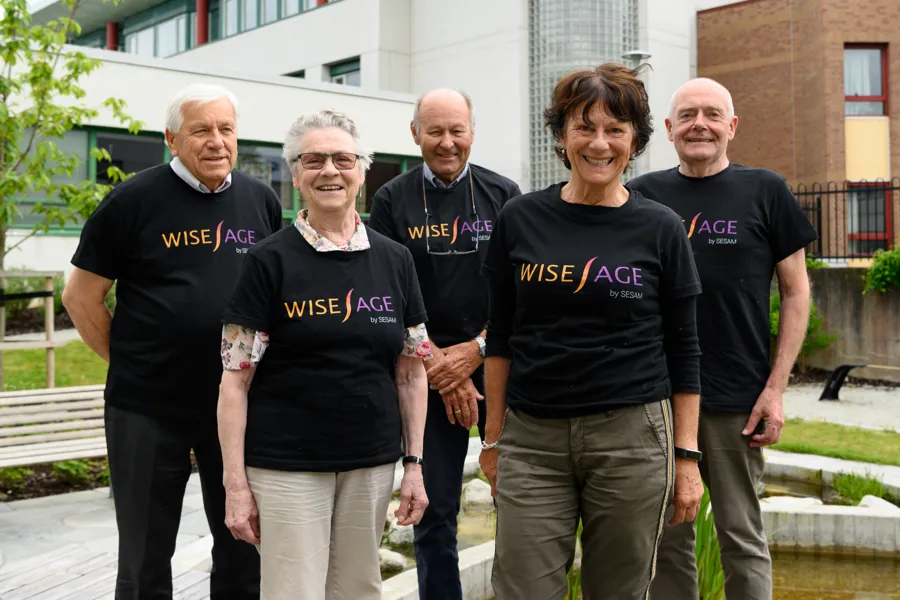
Geriatric medicine includes physical, mental and social conditions that can arise in connection with acute illness, in the treatment of chronic disorders, in rehabilitation and at the end of life. Interaction between the specialist health service and the municipal health service is re prerequisite for the development of good and coherent health services for the elderly. SESAM has interaction as a special area of responsibility and must also be a resource centre for the municipal health service.

SESAM shall contribute to strengthening research and professional development within the field of geriatric medicine.
The centre shall work to strengthen the collaboration on research and professional development between the regional health businesses, the municipalities and other key partners.

SESAM is responsible for stimulating and coordinating research and professional development.

SESAM focuses on networking in the region and is responsible for establishing and coordinating interdisciplinary regional fora and networks. Each year SESAM arranges a SESAM conference within the field of geriatrics medicine.

The centre shall participate in teaching basic education, further education and continuing education, and provide advice and academic support in order to help spread new knowledge throughout the regions.

Contact

Postal address

SESAM

Postboks 8100

4068 Stavanger

Directions

Contact point

Jan Johnsens gate 16, 4011 Stavanger

The parking garage at Våland has 313 parking spaces. These are reserved for visitors to Stavanger University Hospital (SUS) and St. Svithun Hotel.

From the parking garage, you can take the elevator directly to the hospital's main entrance. To reach the parking garage, follow the signs from Fylkeslege Ebbells gate. The parking garage is well-lit and monitored by video surveillance. The height limit for vehicles in the parking garage is 2.1 meters.

The vehicle's license plate is automatically read by a camera upon entry and exit. You do not need to take a parking ticket. For parking in outdoor areas, remember to allow enough parking time. There may be some waiting time at the hospital.

You have four options to pay for parking:

  1. Download the Aimo app or the EasyPark app* and register. Your parking will be charged automatically upon exit.
  2. Pay upon departure. Enter your vehicle's registration number at the machine.
  3. Pay within 48 hours.
  4. Invoice by mail. Note! You will incur an invoice fee in addition.

You do not need to place the parking ticket in the window.

The EasyPark code is 4747 at the emergency reception and 9860 at other machines.

If you want a receipt, or if you leave the parking facility before the estimated maximum time, use the same card at the machine again. You will then receive a receipt for the amount paid.

*When using EasyPark for parking and charging an electric car, a service fee of 15% will be added (minimum NOK 4.90 per parking transaction).

Visitors can use the parking garage for employees at Våland for motorcycle parking. This parking garage has designated spots for motorcycles. There are also marked motorcycle spaces at BUPA (entrance L on the map).

Motorcycle parking in spots marked for motorcycles is free of charge. When parking in a regular parking space, the parking fee is the same as for cars.

There is short-term parking available at the main entrance on Våland (maximum 15 minutes).

There are accessible parking spaces at all visitor entrances at Våland.

Outside the main entrance (entrance 1), there are four parking spaces reserved for people with disabilities. These have a time limit of four hours.

There are also parking spaces reserved for people with disabilities in the visitor parking garage. These spaces are subject to fees like other parking in the hospital area.

Here is a map showing all parking spaces reserved for people with disabilities

Visitors to Våland with electric cars park in the visitor parking garage and pay as for regular parking. In the parking garage, there are charging stations for electric cars. There are four charging points, all located in U2. It costs 10 kroner per hour for charging.

If you are going to stay at the hospital for more than three days, patients and relatives can purchase a parking permit at a reduced price.

You must pay the full parking fee for the first three nights. After that, you will be able to purchase a digital parking permit at a reduced price.

A parking permit (weekly parking) in the parking garage costs 350 kroner per week. Note! This only applies to the parking garage (not outdoor parking).

How to purchase the parking permit

Contact your department to get a requisition for the parking permit. The department will assess whether you need long-term parking.

Bring the requisition to the patient information desk in the foyer at the main entrance. There, the vehicle's registration number will be registered in Aimo Park's parking system. You will then have a digital parking permit. This will automatically expire after one week.

The patient information desk is open Monday–Friday from 07:30 to 21:00, Saturdays from 10:00 to 19:00, and Sundays from 11:00 to 19:00.

The digital parking permit must be paid for with a debit card.

If you need parking for longer than one week, ask the department to fill out a new requisition.

If you have questions or wish to complain about parking at SUS, contact Aimo Park. They are the ones managing the parking at SUS Våland.

General information

Gjest.ihelse.net is a free wireless network for visitors, patients, and staff.

  1. Connect to the wireless guest network (gjest.ihelse.net)
  2. A browser should open automatically. If the login window does not appear, try opening the browser manually.
  3. Read the terms carefully.
  4. Press "Accept" when you have read and understood the terms.

Login occurs automatically on devices after the first login, as long as the account is active. You should only need to log in once per device every 31 days.